

Avail - DASH Field Ops Multi - Location Inventory Feature

Role
Lead Product Designer
Overview
Platform
Mobile & Desktop
Timeline
8 Months
- Hi fi wireframes and final Design Comps
- Data analysis - USE & System Usability Scale (SUS)
- Stakeholder reviews /presentations - Workshop facilitation
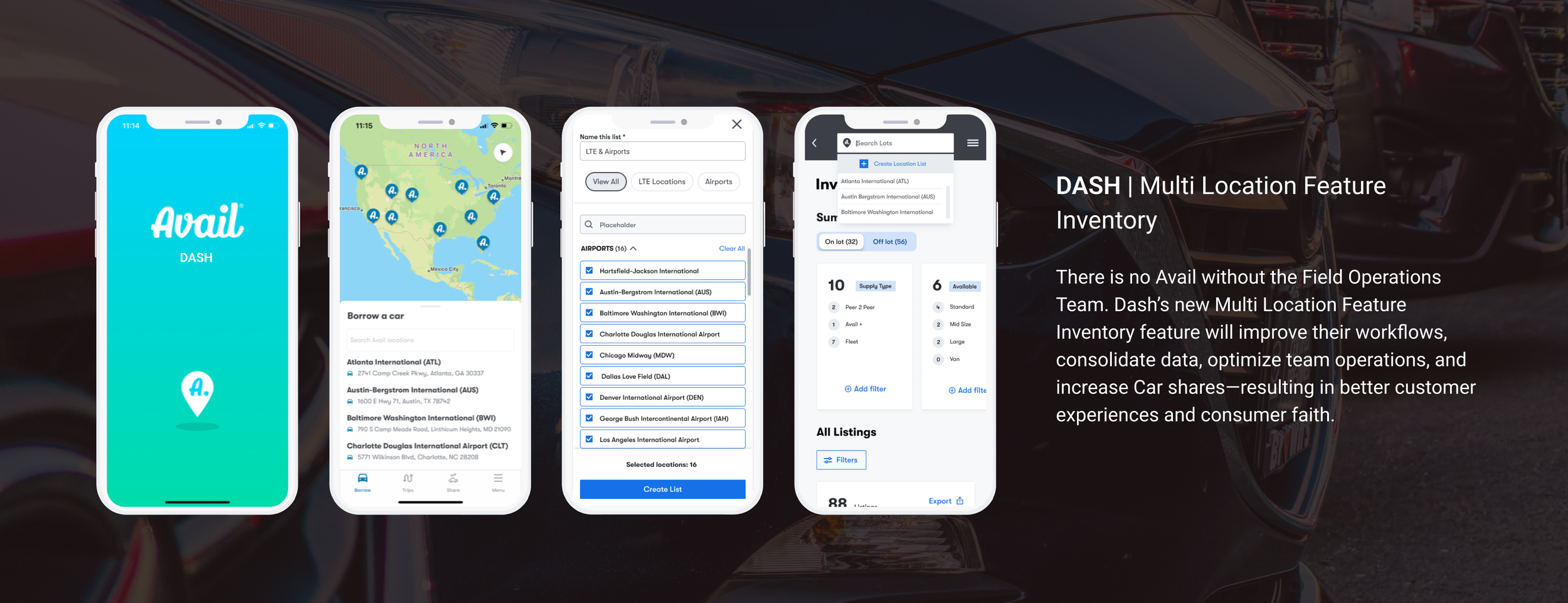
Currently, Field Professionals can only view their inventory & daily reservations within Dash by one location. This doesn’t support the Downtown regional model of operations and will not allow field operations to scale when we add 200+ garages in the coming months. The Field Ops team needs to view multiple regional locations at once to facilitate operational tasks. It’s believed that this functionality should exist within the Inventory Dashboard & Daily Drift
Problem Space
Two weeks into my role at Avail, I was assigned with this huge project. I was ecstatic! However, since I was new, I couldn’t just jump into Figma and start designing. I needed to first make sure I learned about the Field Operations tool and the team behind it as well as existing data.
My Approach
Company
Avail by Allstate
The Tool: DASH
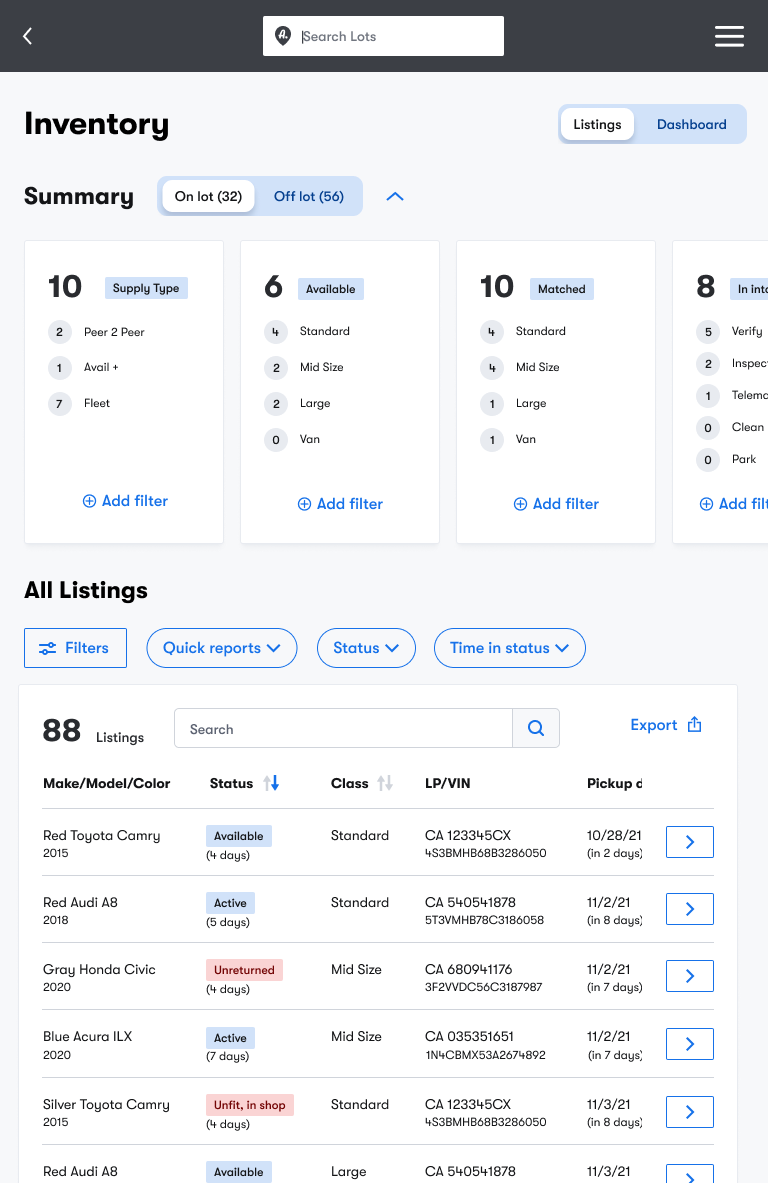
I conducted a full audit of DASH and created a Figma file where I organized screenshots & annotations based on my UX recommendations, questions about functionality and design systems
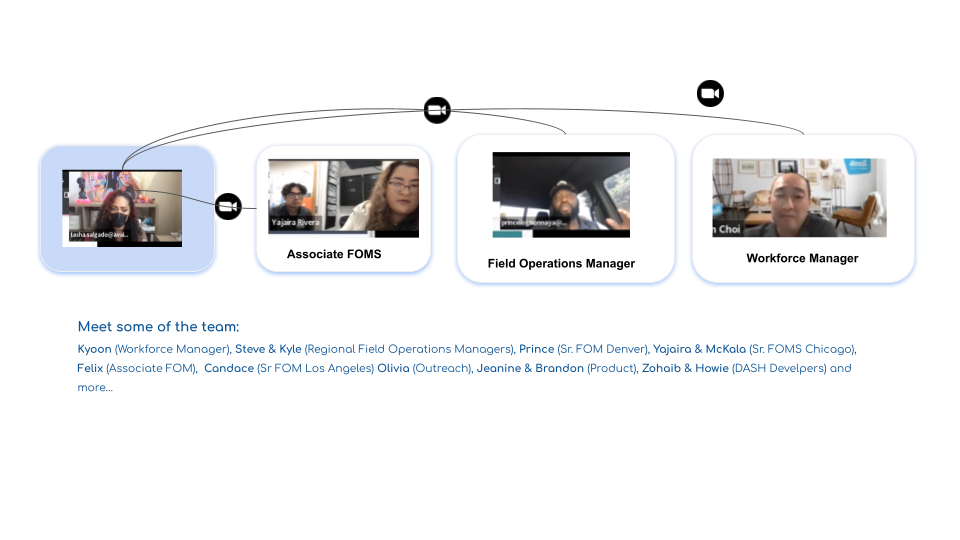
The Team: Senior Field Operations Managers, Associate FOMS and Field Professionals
I made my way through introductions of the folks that I would be working with on a daily basis. Field Operations Product Managers, Developers who worked on Dash , Scrum Masters and other Team Leaders on other teams who may have crossed paths with who we called, DASHERS.
Existing Data
I spent the first 2 weeks digging into existing data to understand the landscape a lot better. How the DASH tool was currently being used and what areas of the product as a whole it impacted. Data from the field teams and regional managers were available and ready to talk about a new feature. This data would be used in addition to my work to build out this new feature.
I booked interview sessions with Senior FOMS, Field Professionals and workforce Managers that all used this tool. During our interviews they each walked me through the current state of DASH and how they used it everyday on their lots.
““We’re about to add 200+ garages. I need a feature that will allow me to create lists for the locations I manage, and get a clear view of how many staff members I need each day and where.””
The information gathered from interviews helped to inform the needs and frustrations of DASH users. Themes were created based on functionality and goals of this new feature. I focused on the tools that they currently use as well as their likes, dislikes and more.
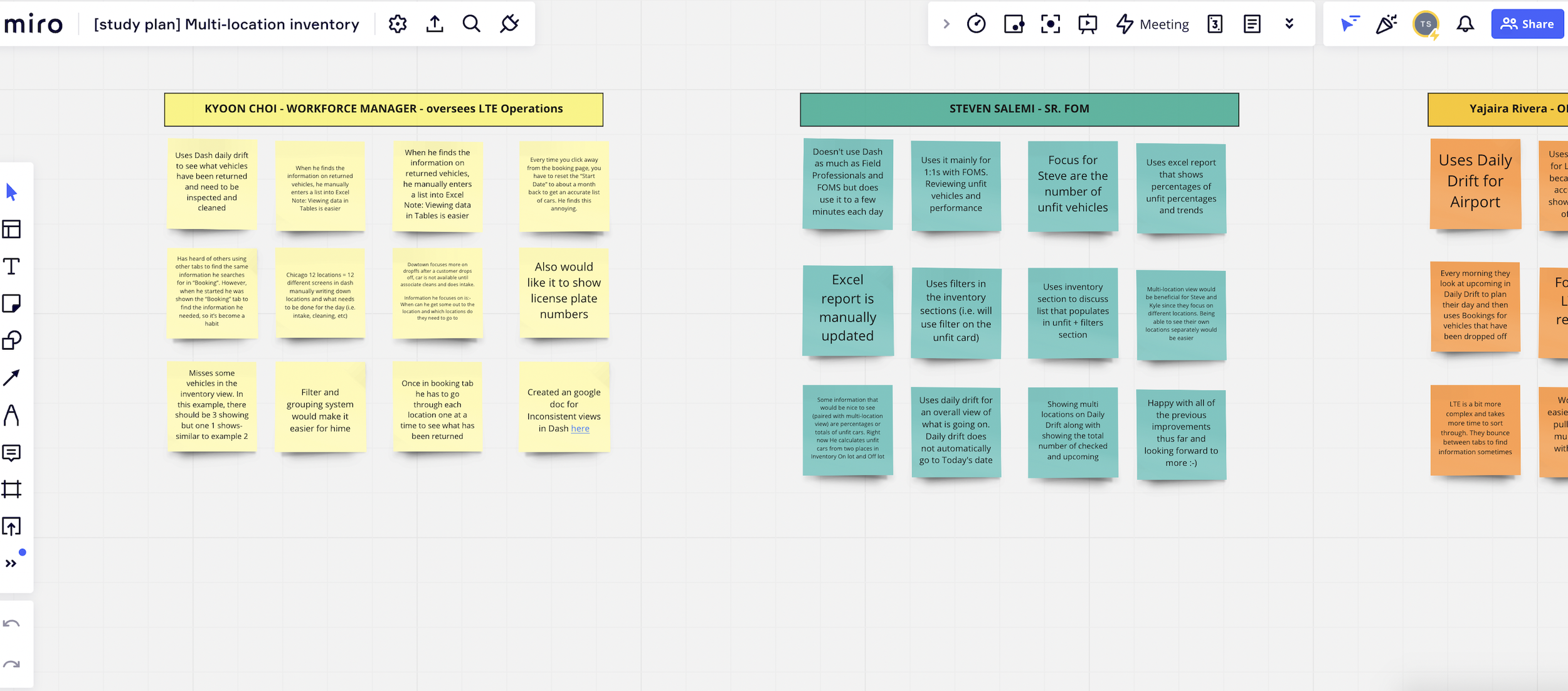
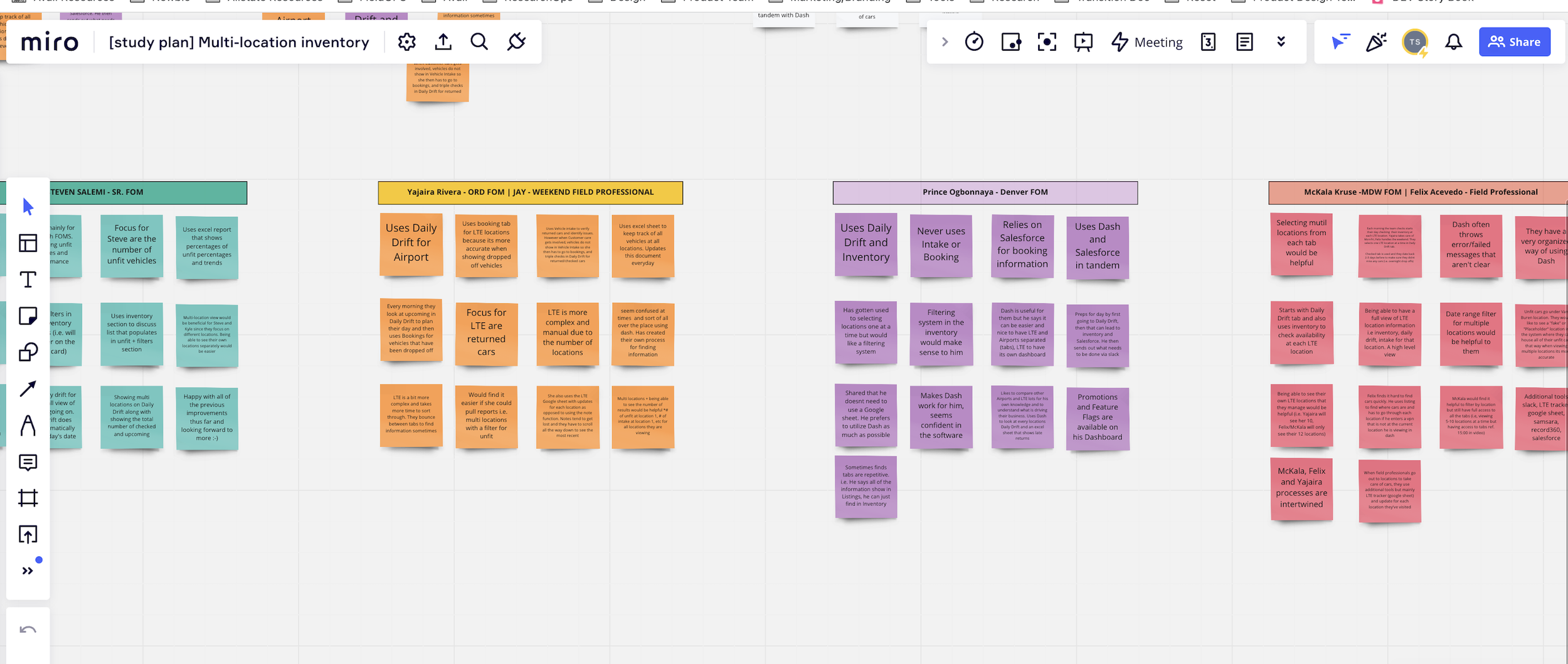
Interviews & Affinity Maps
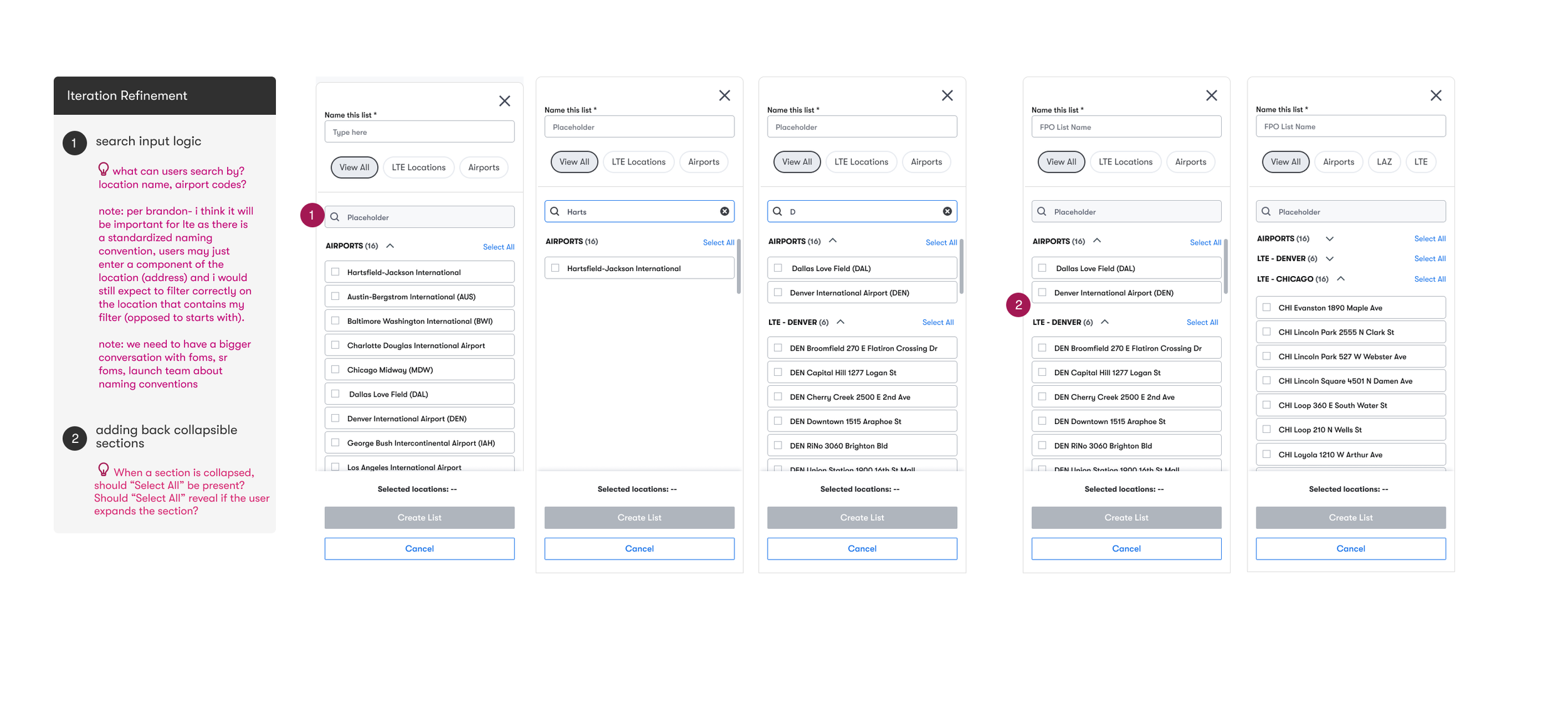
The first two rounds of prototyping and testing went very well. I conducted individual and group testing with all the teams that would utilize this new feature. Overall it met the requirements and folks were very excited about this feature!
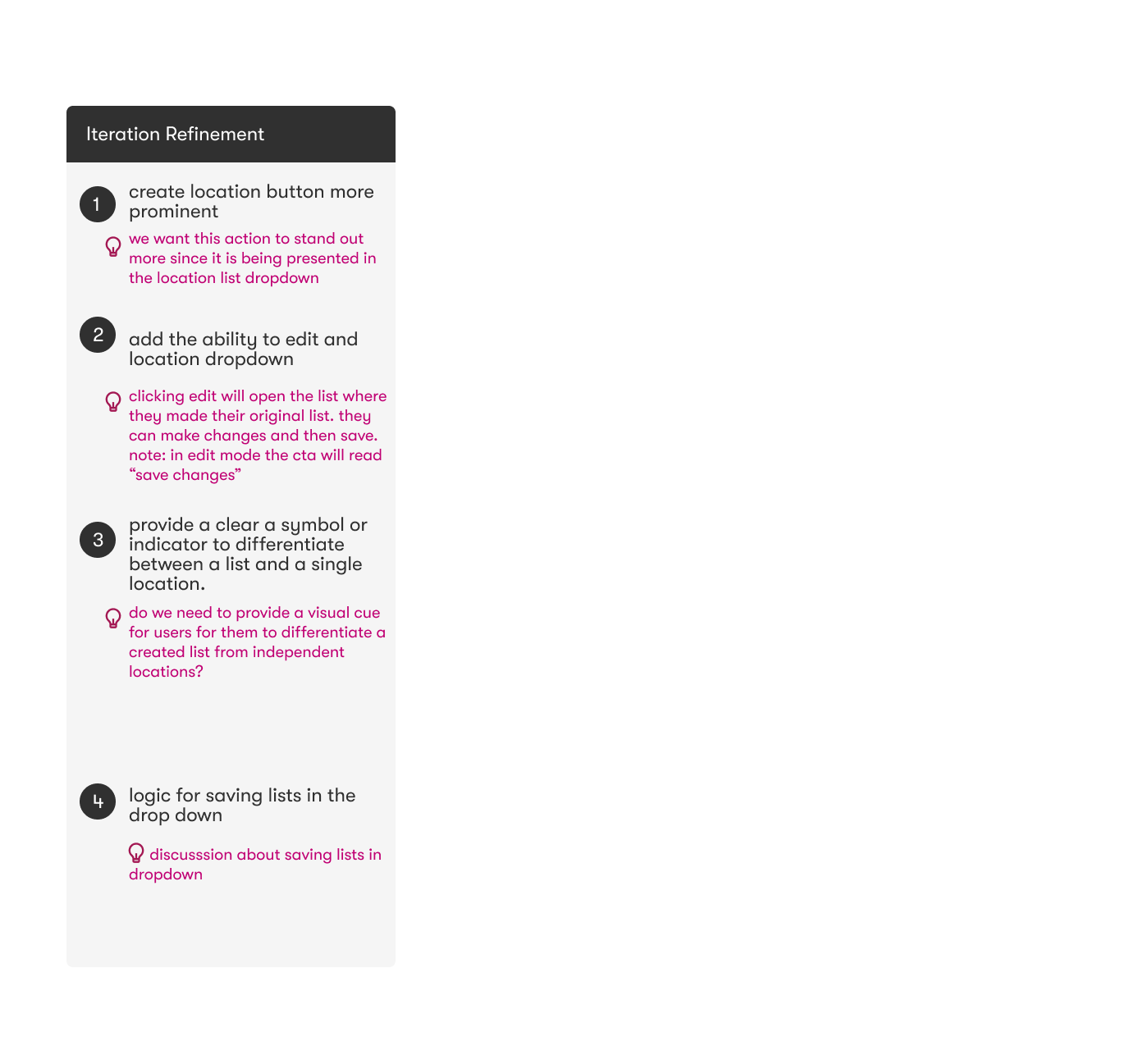
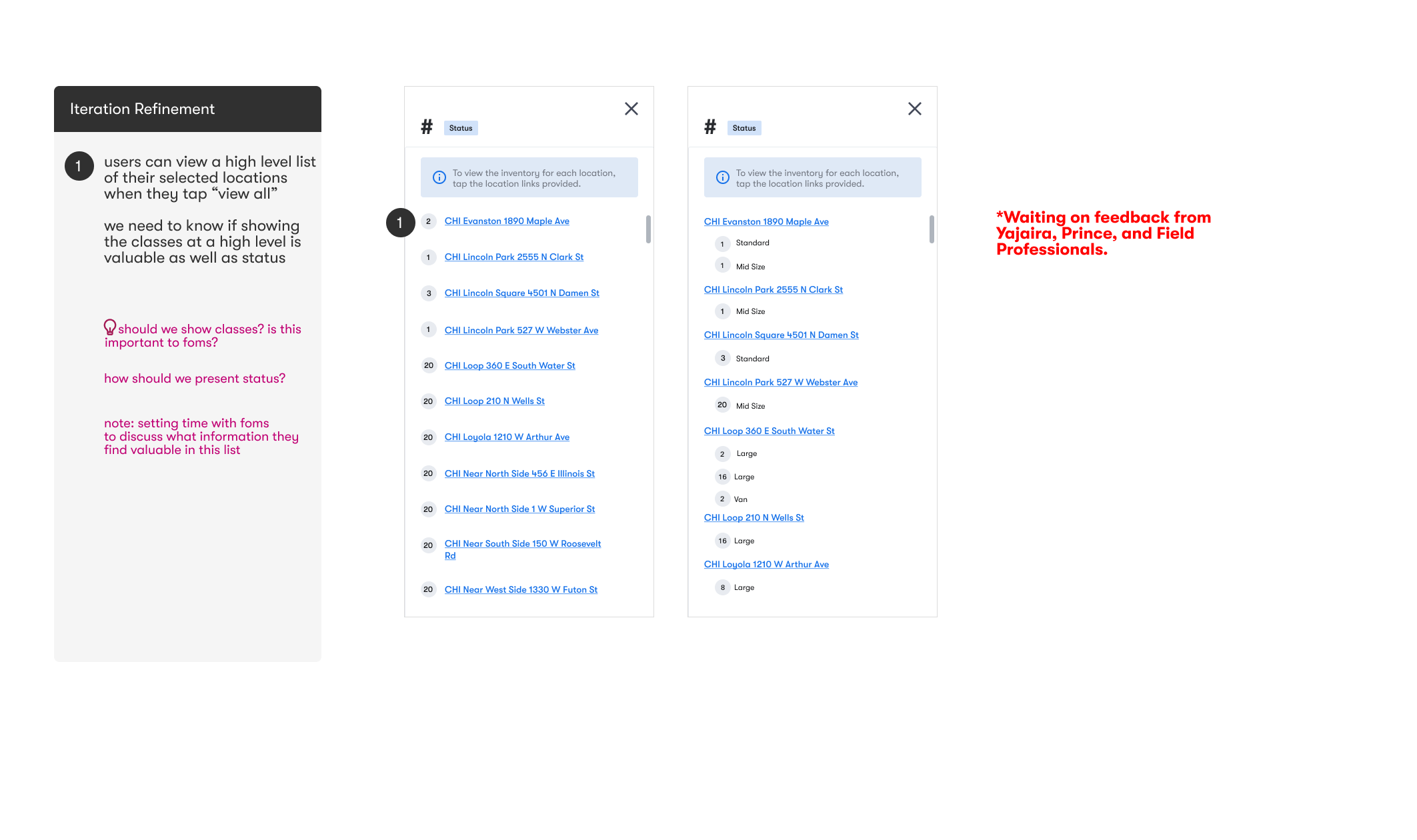
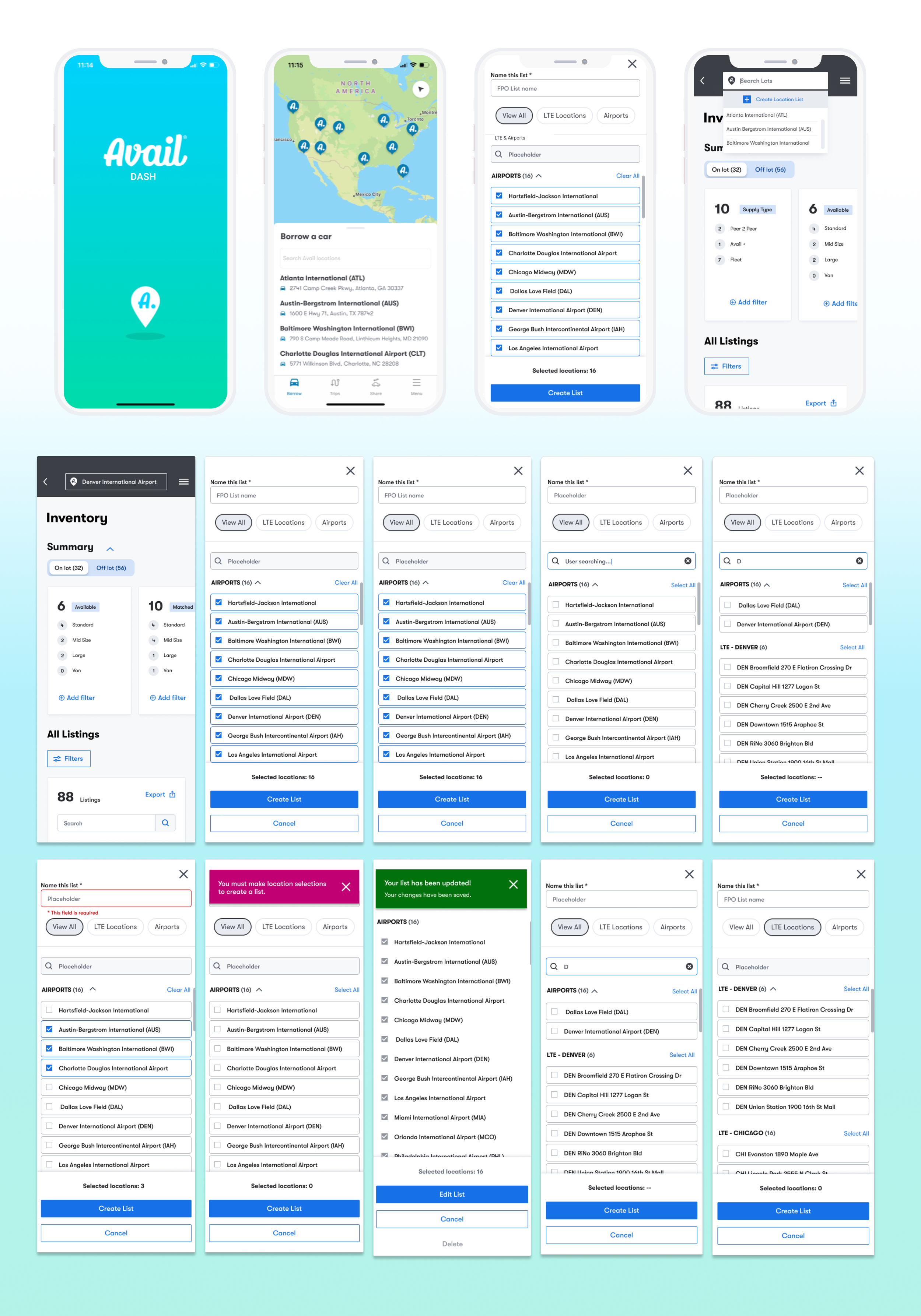
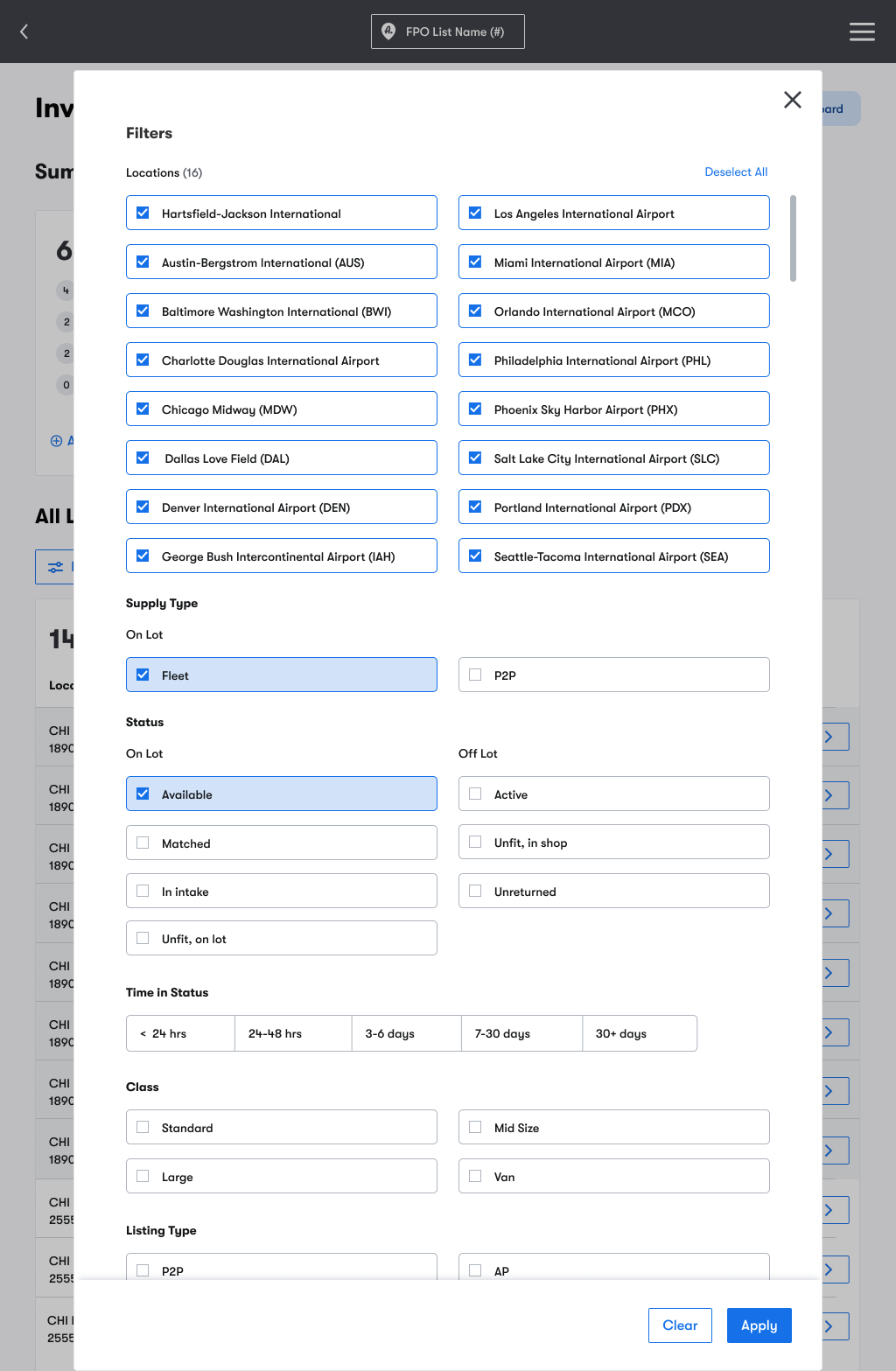
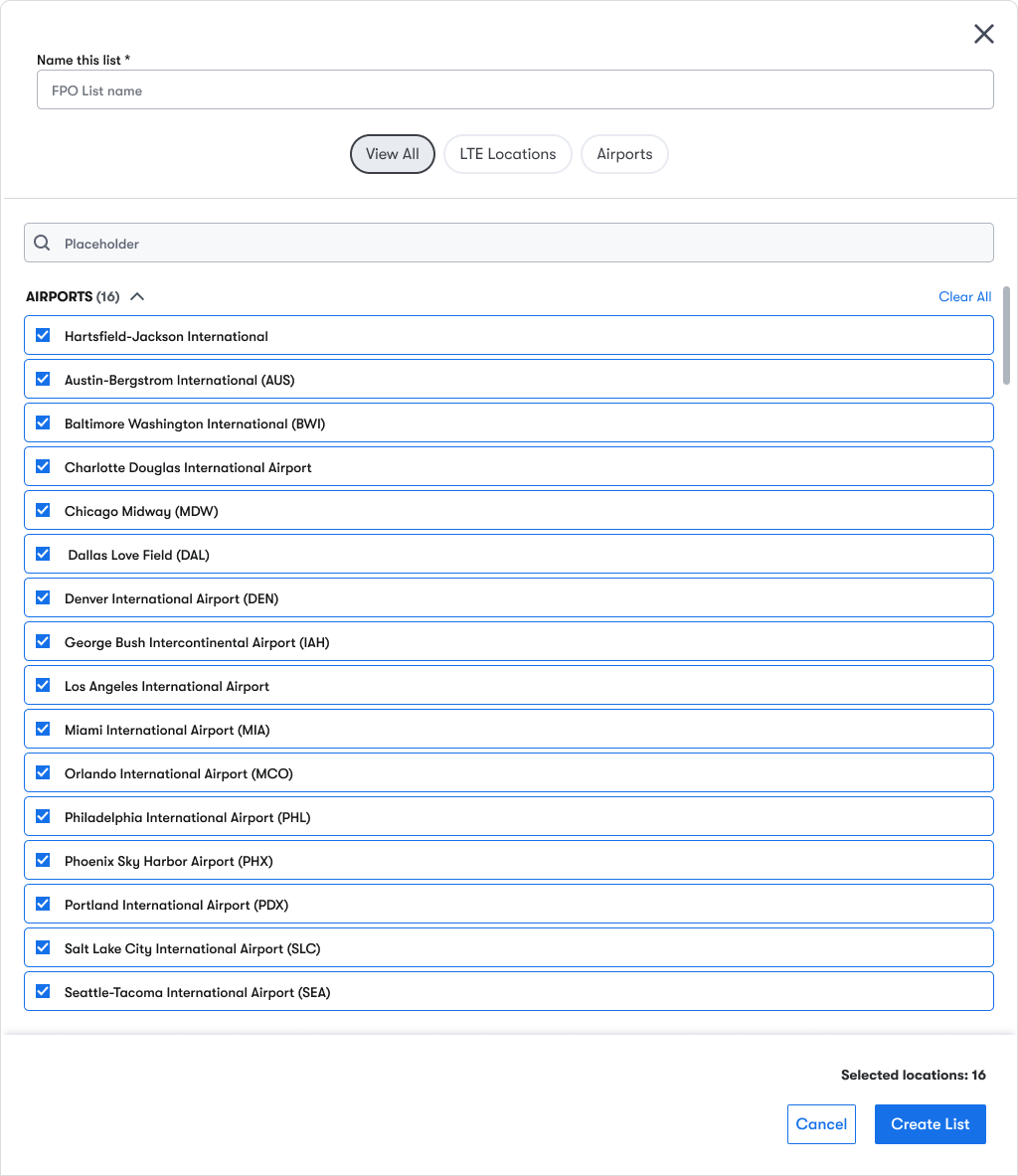
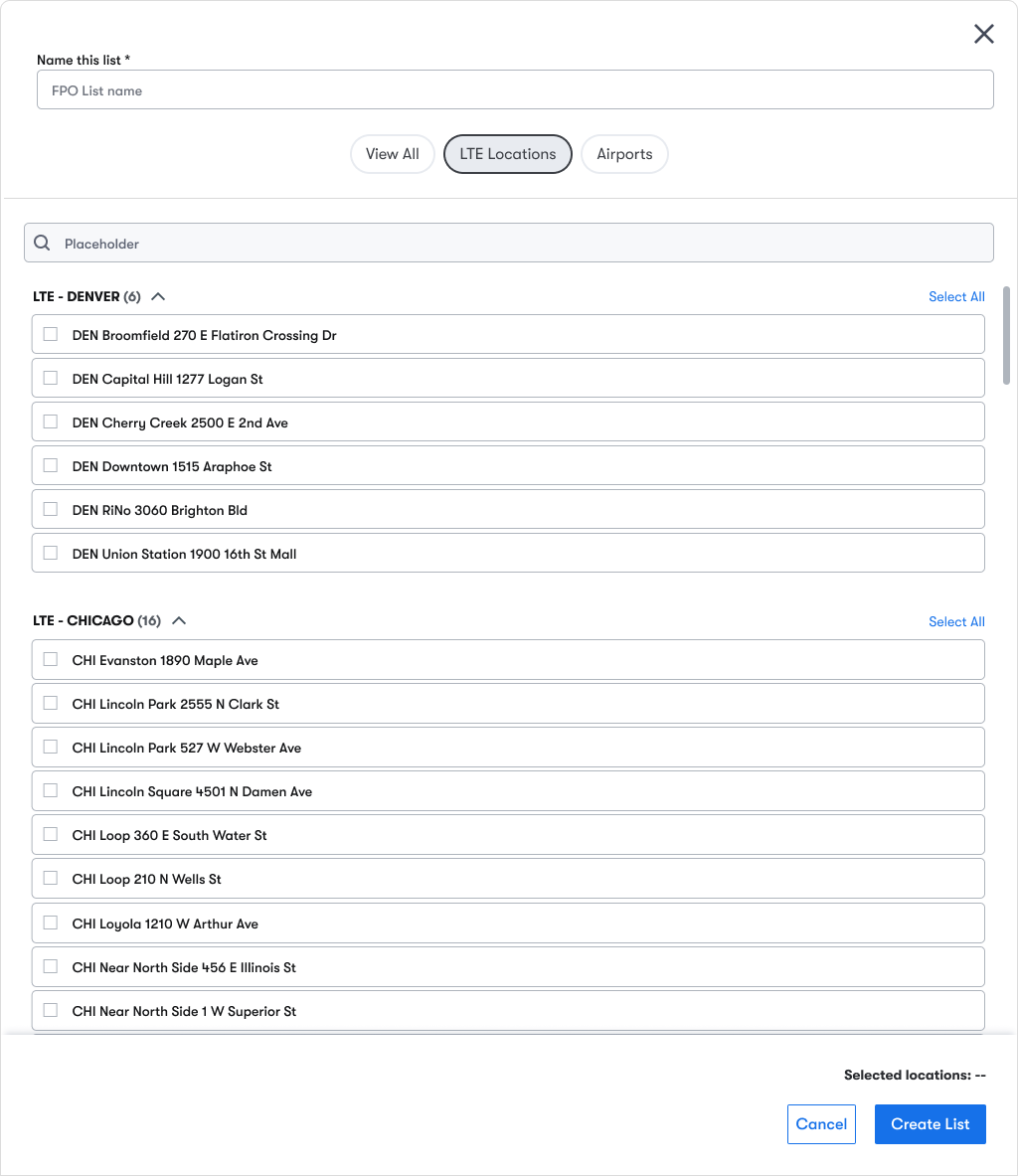
FOMS and team could use the new button to Create a list of their most viewed locations. They can name the list, select their lot locations, and save it that way they don’t have to re-create the list everyday. Adjustments were made to address friction points during testing, see refinements below.
Brainstorming & Design Solutions
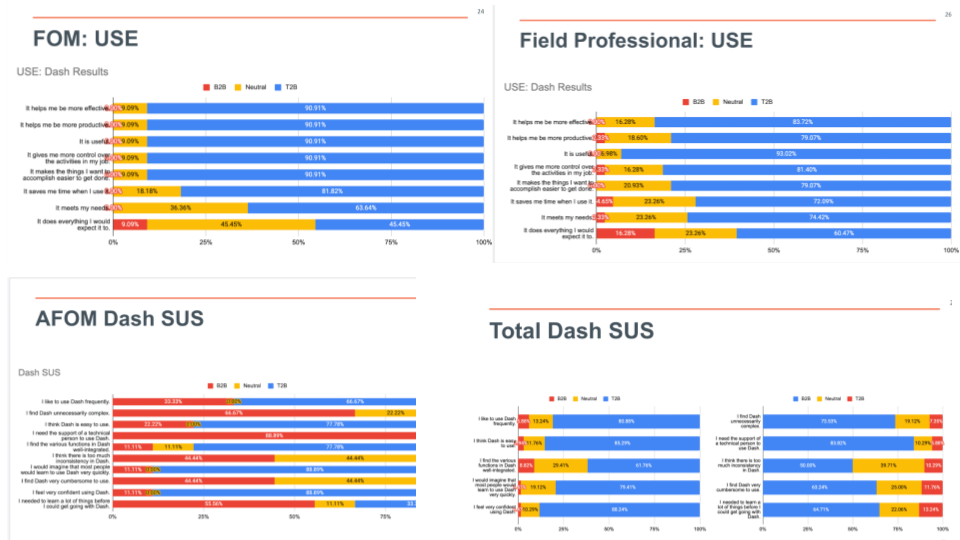
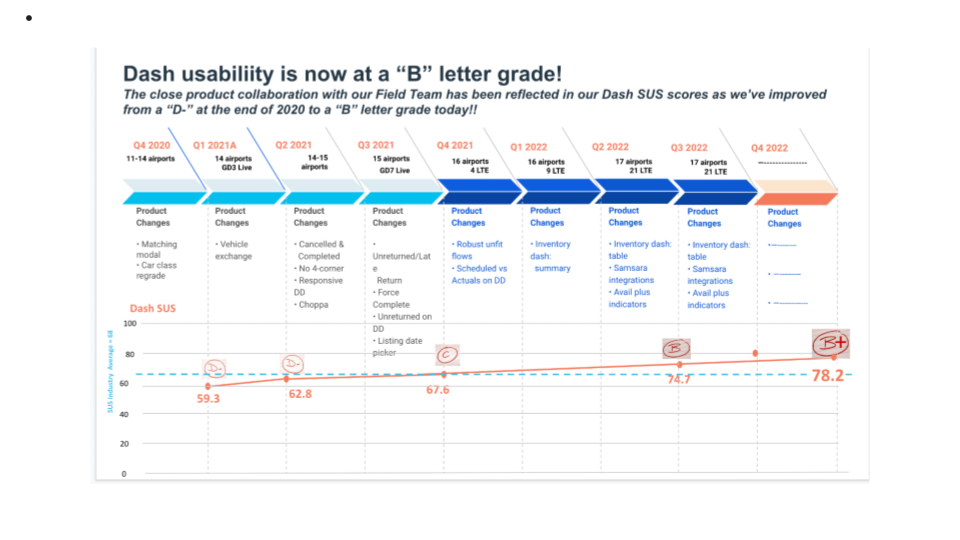
I also conducted in-depth USE and SUS testing to dig deeper into everyday usage and what worked vs what needed more refinement. I dedicated weeks of sending out surveys, calculating results and analyzing the data.
Final Screens
Unfortunately, Avail took a major financial hit during the months that I spent solving for the Multi-location Inventory feature. Unfit car numbers rose, car theft and bookings were down which resulted in the closure of all Avail Airport locations resulting in major layoffs of field staff, loss of car owners and borrowers and the need for the multi location inventory feature. Bummer.
Now for the good news, it was a great opportunity to work on such a huge initiative that will have a major impact on the business and field ops teams when they scale up. When Avail comes back stronger, and I’m sure they will, they will have a fully designed and deeply researched and tested, turn-key Multi-location Inventory for Dash that they can implement quickly.
Avail DASH | Multi-location Inventory Feature
Selecting Multiple Locations
Informed by Data
After reviewing past data and continued conversations with users, I found that some of the existing and fairly new design elements still worked well for the users. I decided to preserve some of existing design components and functionality that still served a purpose and paired with the new features, the results would turn out great for the end users.
Design Element #1
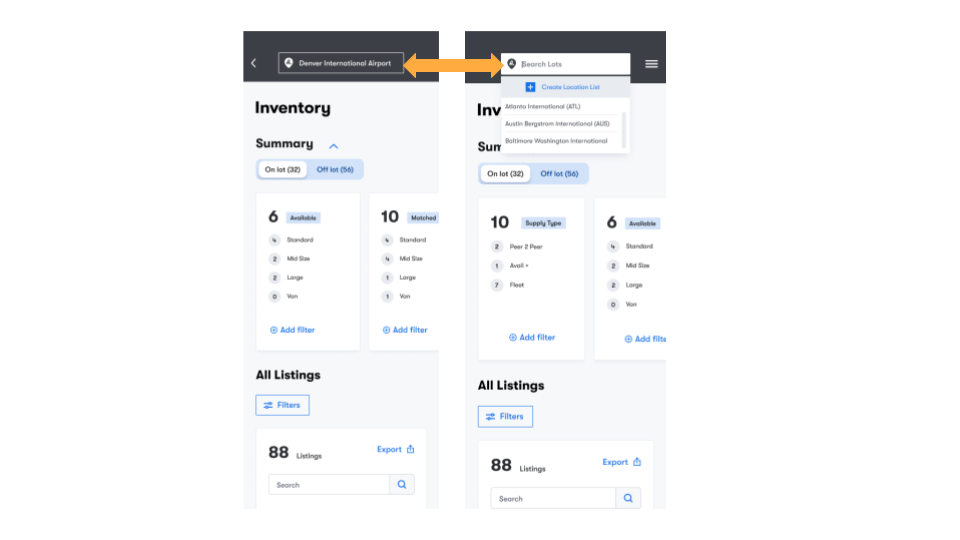
One of the most important design elements that I was able to reuse for the multi location inventory feature, was our familiar Location Drop Down. This Drop down is used everyday by all roles interviewed to view their locations one at a time.
I added additional functionality to the location dropdown for FOMS and teams to create new location lists.
““My team’s workload in a nutshell includes intake processes, claims, scheduling unfit cars for repairs, finding unfit cars, rotating schedules in order to accommodate late night pick ups and drop offs, and so much more, I’m using 2 different excel sheets and slack for all of this.””
Design Element #2
Another element that I was able to reuse in the solution were the summary cards. These cards were added to DASH a year before and the FOMS gave great feedback on how these made their jobs easier. I revamped them to include more summaries, Supply Type and locations interactive cards for each location list.
Testing the new feature
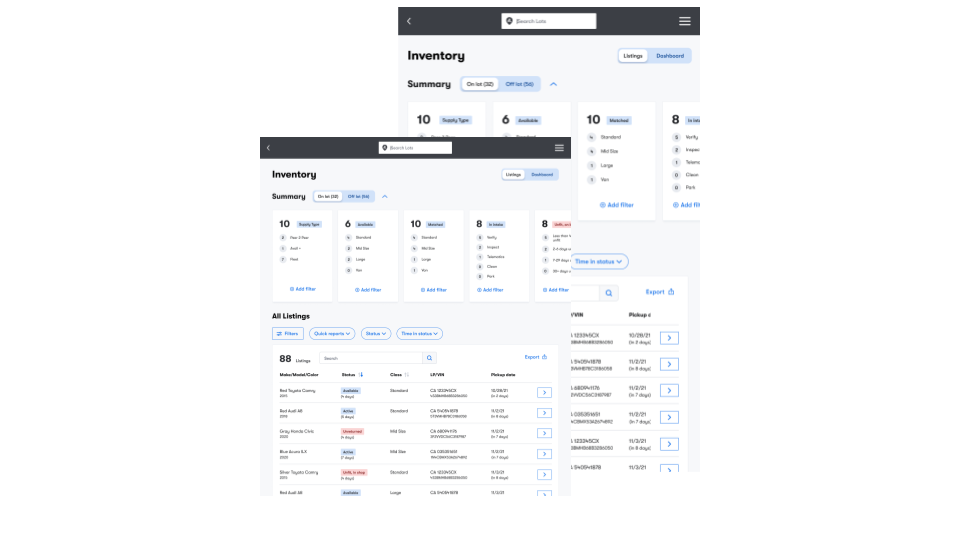
Field Operations Managers like Yajaira and Prince plus their field teams utilized DASH on their personal mobile phones.
Regional Managers like Steve, weren’t on the lots but they managed 30+ lots from corporate offices, desktop screens were crucial for them to do lot comparisons and performance reviews.
Outcome
- Full UX audit - Reviewing existing data
- User surveys - User testing - A/B testing
- Prototypes - Usability Testing - Design Reviews